Curve-BStrands - Blender Addon
Blender addon for creating procedural hair strands and baking it on atlas texture.
Where to get it
- Status
- Available
- Version
- 1.0.0 beta
- Works with
- Blender, Blender 5.1+
Video guide
About
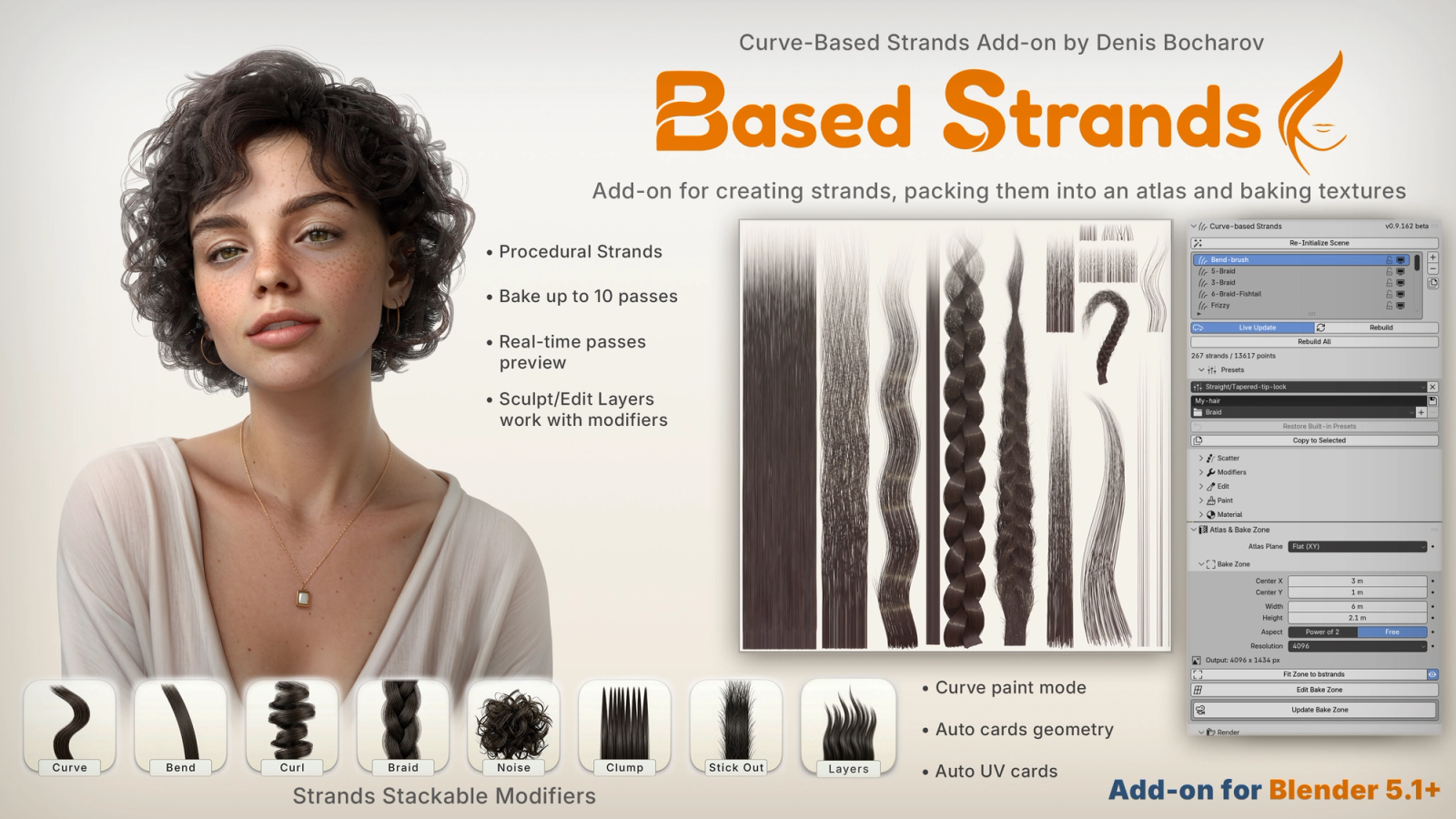
Curve-BStrands is a hair strand generator for Blender, built for making hair-card atlases. You shape hair procedurally as real strands, then bake it straight into the texture maps a card needs.
Every bstrand is a Blender Curves object rebuilt from a scatter of roots and a free stack of modifiers: Curve, Bend, Curl, Braid, Noise, Clump, Layers and Stick Out. You can use as many as you like, in any order. Braids come with their own toolkit: up to eight flows, rotation and offset for each flow, taper, and flow guides you can drag to reshape a single plait. Stick Out grows flyaways out of the mass so a card doesn't read as a solid sheet.
When procedural isn't enough, sculpt by hand. Your edits are kept as layers and carried along when you change the modifiers, so the next rebuild doesn't wipe them. You can also paint colour straight onto the strands.
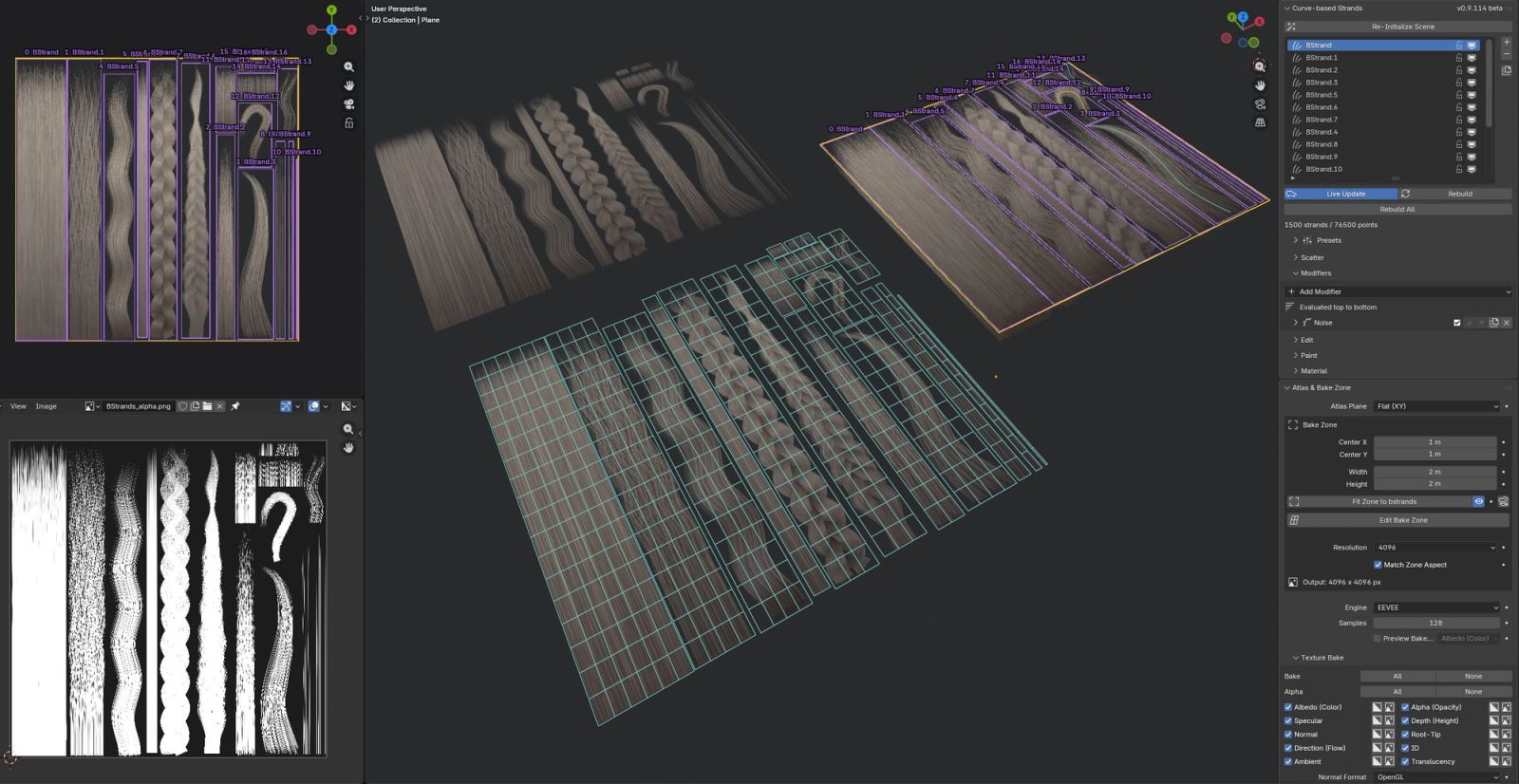
Draw a bake zone over your strands and render up to ten maps in one pass, in EEVEE or Cycles, at up to 8K with 16-bit data maps:
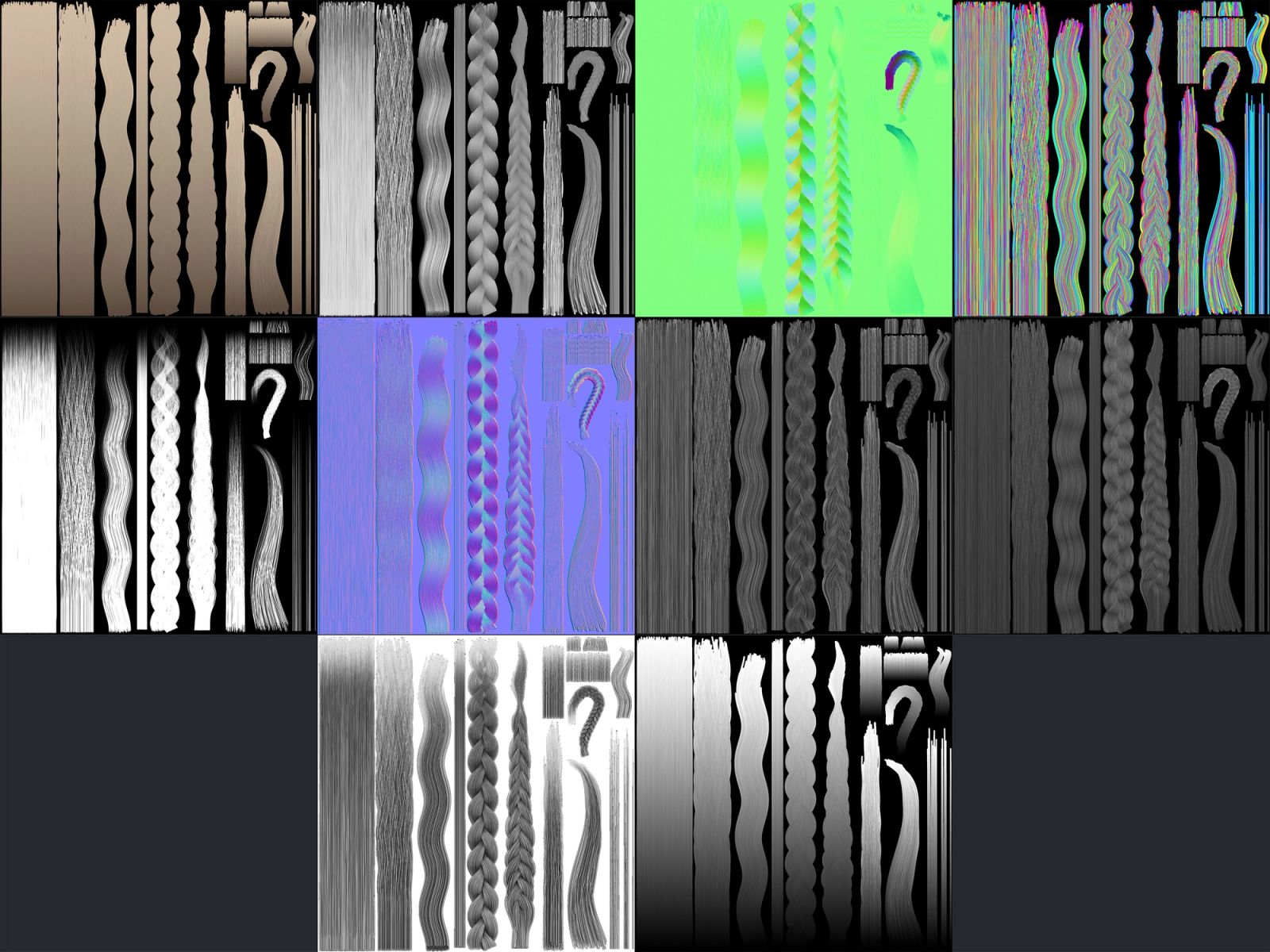
Albedo, Alpha, Specular, Translucency
Normal (OpenGL or DirectX), Depth, Direction, Root-Tip, Ambient Occlusion, ID
You can preview any of them live in the viewport before you bake.
Each bstrand gets its own slot in the atlas automatically. You can adjust any slot by hand, build UV-ready cards in one click, or send the layout straight to Agile Hair Cards to build full hairstyles from your atlas.
Requires Blender 5.1 or newer.
Features
-
Procedural strands
Every bstrand starts as a block of roots you size and fill directly: width, depth, density and randomness, with a cross-section that takes it from a flat sheet to a rounded rope. Length, thickness and taper each have their own curve, and viewport handles let you drag the block's size right in the scene.
-
Baking up to 10 passes
Baking and exporting 10 different passes: Albedo (Color), Specular, Normal, Direction (Flow), Ambient Occlusion (AO), Alpha (Opacity), Depth (Height), Root-Tip, ID, Translucency.
-
Real-time preview passes
Preview and adjusting in viewport all 10 passes.
-
Modifier stack
Strand shape is refined through a stackable modifier system — braid, bend, noise, clump, curl and more — each toggleable and reorderable, applied on top of the base strands.
-
Curve modifier
Creates its own guide curve — reshape the curve's points in Edit Guide mode, and strands update live to match.
-
Bend modifier
Bends strands along a chosen axis, with strength masking so the curve can be concentrated at the root, tip, or anywhere between.
-
Curl modifier
Coils strands into a spiral — scale and length set the curl's size and tightness, with tilt, taper and shift for further shaping.
-
Braid modifier
Complex modifier. Splits strands into a chosen number of flows and weaves them into a braid. Flow Width, Flow Height and Rotation shape each rope's cross-section; Tightness controls how tightly the flows. Inflate Sides/Middle and Sides/Middle Shape round out the rope's silhouette, and Taper (with a taper curve and ease) narrows the braid toward the tip. Collision keeps hair from overlapping, and Loose Hairs adds stray strands that break up an overly clean weave.
-
Noise modifier
Displaces strands with noise-based waviness. Strength and Length (each with their own randomness) set the amount and wavelength; Shift offsets the pattern per strand. A strength curve and masking control where along the strand it applies.
-
Clump modifier
Groups strands into clumps around scattered centers — clump count and placement come from a width/depth grid, with strength controlling how tightly strands pull toward each clump's center.
-
Layers modifier
Splits the block into locks stacked in layers, back to front, and gives each lock its own length and shape. Gather pulls each lock together, Length makes every layer shorter than the one behind it, Point cuts locks to a tip, and Cut shapes the hem as Straight, V or U. Depth separates the layers, and Layer Offset (with its own randomness) staggers where they start, so they overlap like shingles.
-
Stick Out modifier
Grows extra flyaway strands that stick out from the main block — amount, length and spread control how many and how wild they look.
-
Presets
Save a bstrand's whole setup as a reusable preset: Scatter, the modifier stack, every curve, guide shapes and the material look. Name it and sort it into groups you create. Seventeen, for now, built-in presets in six groups (Braid, Straight, Curl, Bend, Fur and Face) give ready starting points for braids, waves, coils, layered cuts, fur and lashes.
-
Edit layers
Hand-edit strands directly with comb, grow, etc brushes, with every change recorded onto a stackable edit layer — modifiers still apply on top or used before, so sculpted detail and procedural shaping coexist.
-
Paint mode
Paint color directly onto strands with a brush — radius, strength and falloff control the stroke, with pick, erase and overlay toggle shortcuts for fast iteration.
-
Simple material setup
Simple material setup with an easily adjustable color gradient.
-
Easy Bake Zone Setup
Choose between automatic or manual setup for your bake zones.
-
Auto UV strands and Grouping
Every bstrand gets its own atlas slot automatically, sized so no card crops a strand. Also you can group strands to one UV slot.
-
Edit UV slot, Auto Cards, Export
Drag or resize any UV slot in the viewport — your edits follow the hair when it changes. One click builds UV-ready cards wearing the baked maps, ready to export or hand straight to Agile Hair Cards.